

Cursor for Product Managers
A practical guide to coding agents for product managers who don’t code


I’m super excited to share this guest post from Eric Xiao , who builds Bloom—an AI investing app—as a solo founder.
Eric and I ran a lightning lesson on this topic if you’d like to watch the recording to follow along with the post.
Why you need this lesson
2025 was the year coding agents found product market fit. AI companies have exploded with usage, and it feels like very soon 90% of code will be AI-generated. The way products are built has entirely shifted, but industry practitioners have yet to catch up.
Most people who are not involved in the AI industry are still stuck at “I use ChatGPT to ask questions for work” vs. “I use coding agents to brainstorm, build, and test new product features.” At the same time, companies are expecting product managers to ship faster, own broader scope, and still remain hands on.
In today’s post, I want to cover how you can build a new way using coding agents, and specifically a tool called Cursor (not affiliated). If you follow the steps below, you’ll be able to build high quality, working prototypes with just a single sentence.
A new way of working
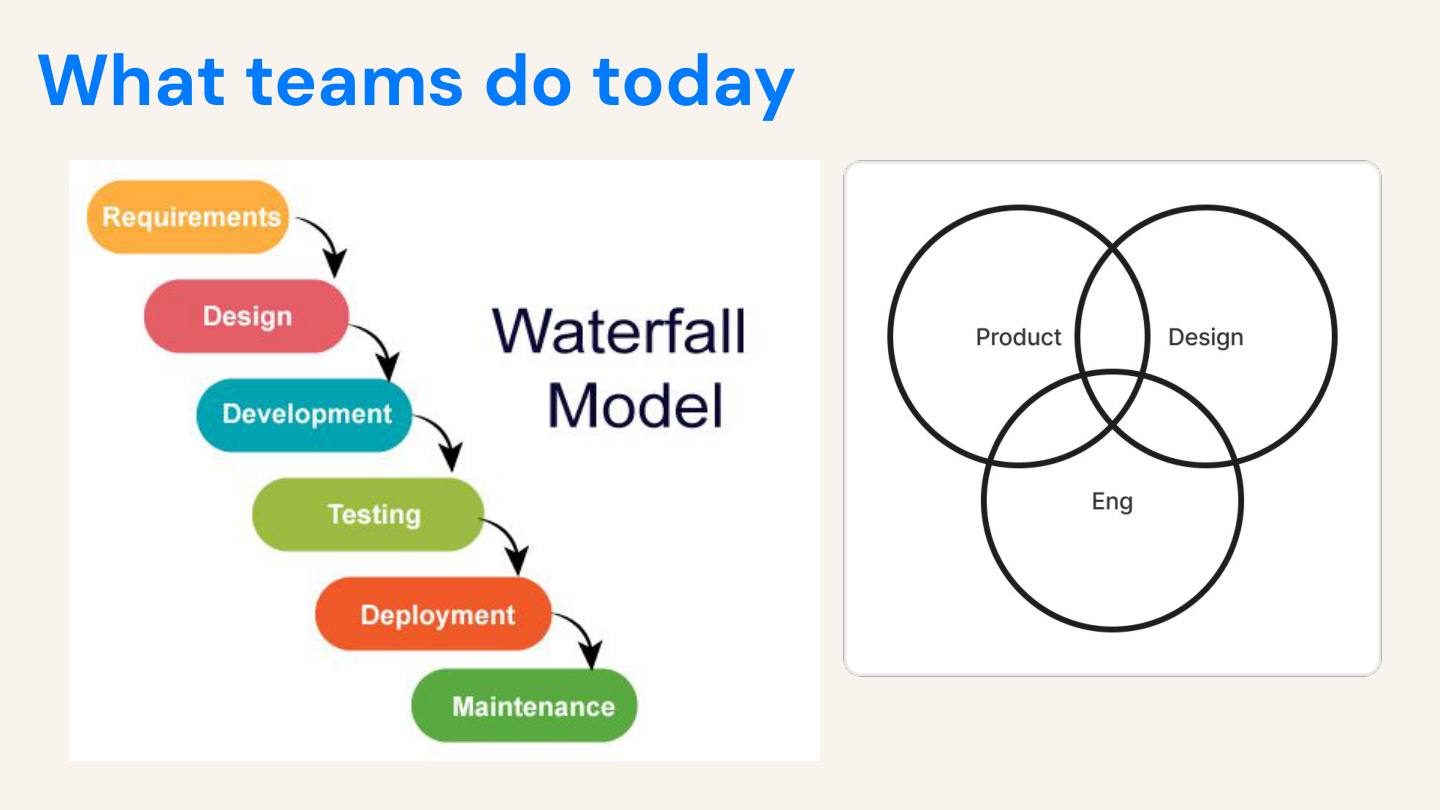
We used to ship software like an assembly line. Be honest. We call it agile, but it’s really waterfall with standups. Here’s how features actually ship:
1. PM writes spec
2. Designer mocks in Figma
3. Engineers sprint for weeks
4. QA catches bugs
5. Ship after two months
We propose that there will be a new way value will be delivered: Prompt, Evaluate, Iterate—with overlapping roles
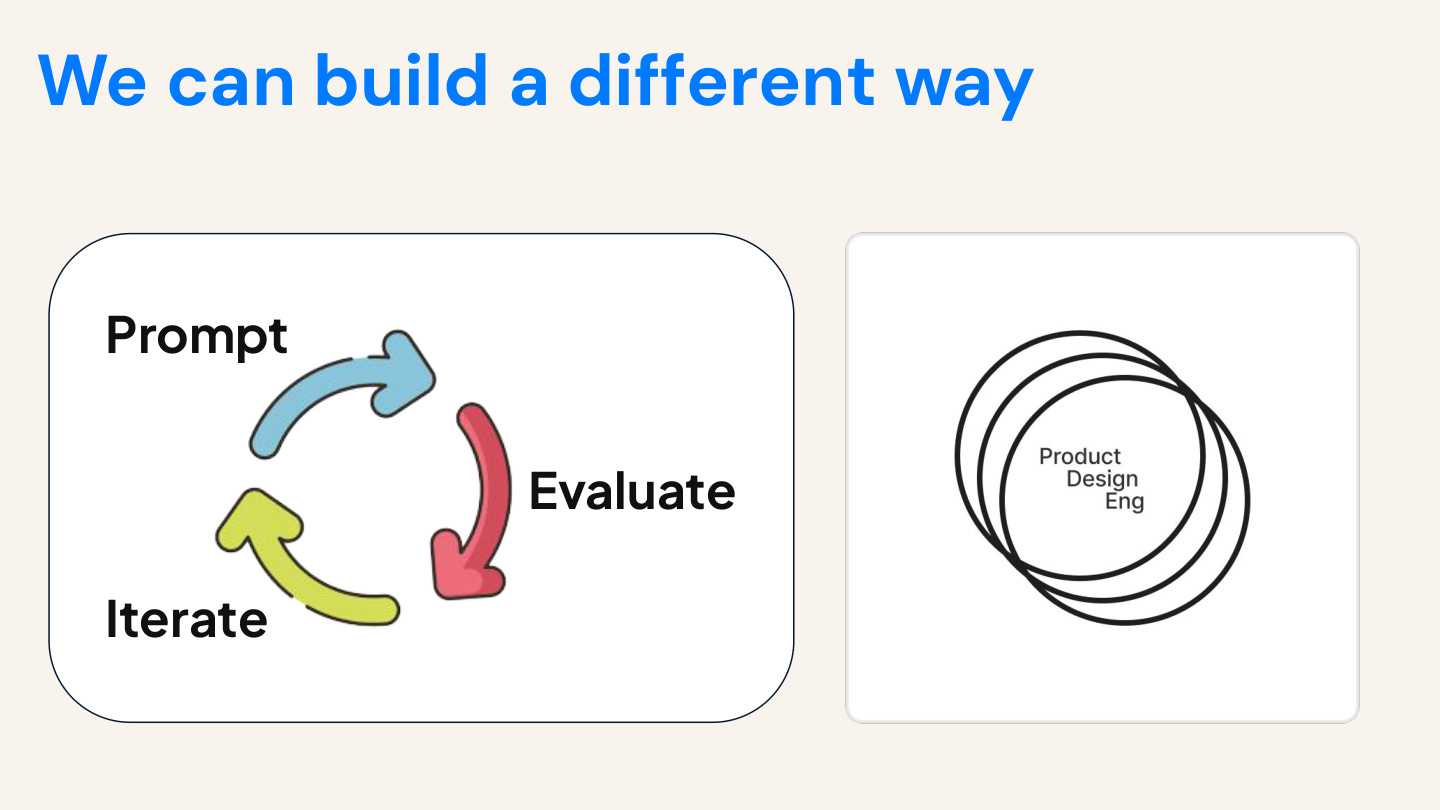
Designers ship code. PMs build prototypes. Engineers do product thinking. Everyone is technical. The venn diagram of people’s responsibilities starts melding together.
Why bother with Cursor?
The problem with ChatGPT is that it’s a PhD with the memory of a hamster. It forgets everything between sessions with that nasty context window. It doesn’t know the details of who you are, what you’re working on, your user research, or your codebase.
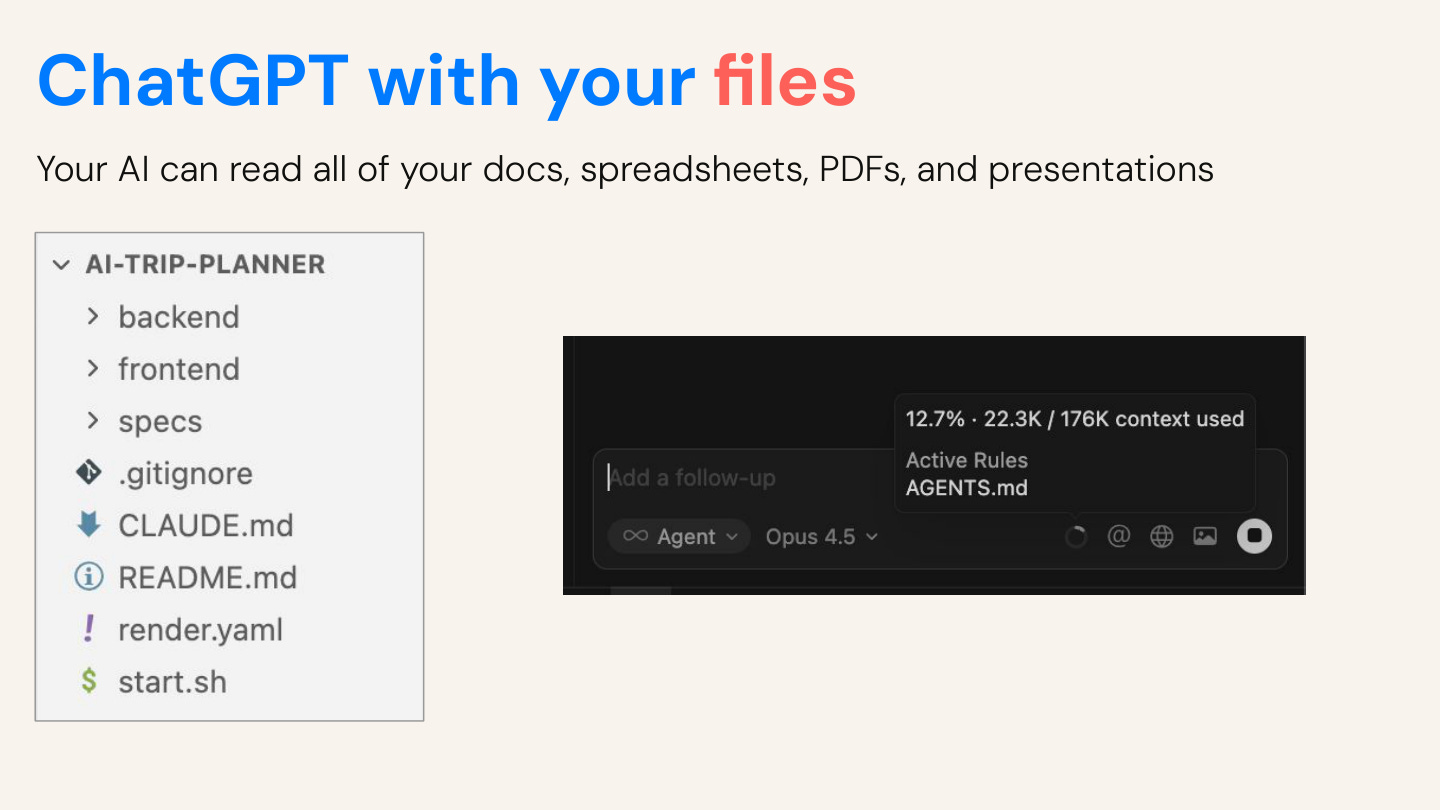
Cursor is ChatGPT with your files. You can put docs, markdown, spreadsheets, PDFs, and code all in one place. ChatGPT does have a projects feature, but it stays static.
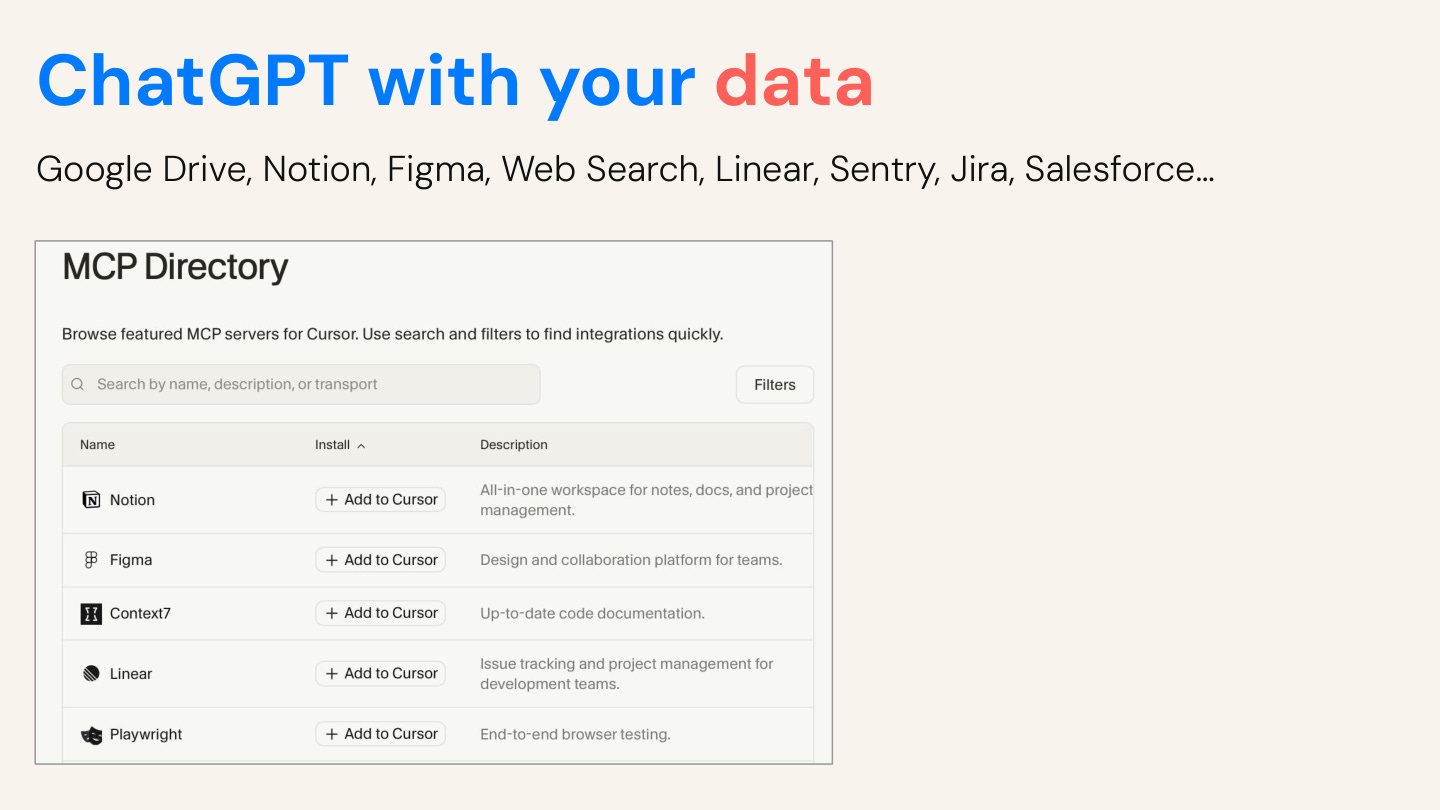
Cursor is ChatGPT with your external data. You can connect your external software tools like Google Drive, Notion, Figma, Jira, Sentry or Linear. Then you don’t have to continuously copy paste from those software systems into ChatGPT.
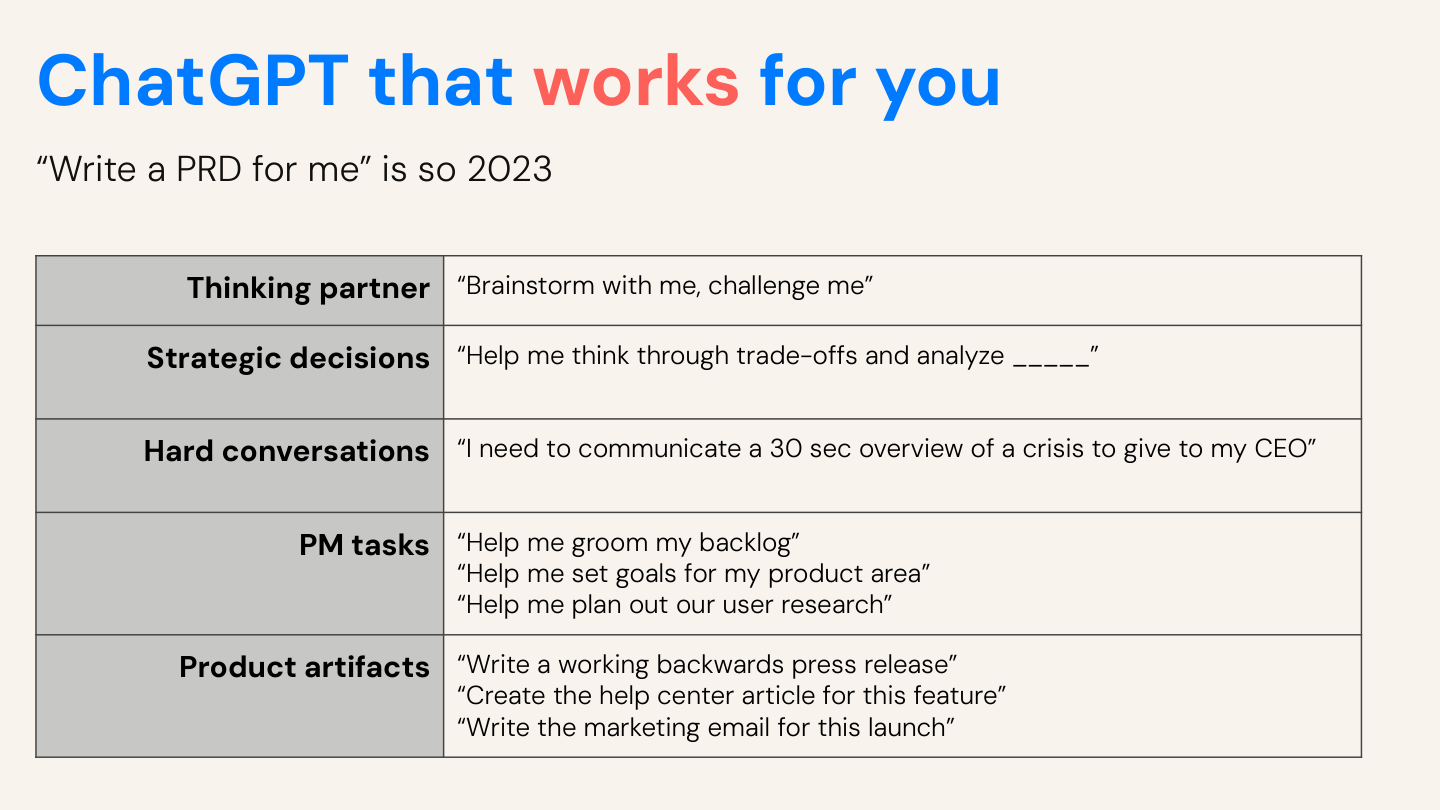
Cursor is ChatGPT that works for you. Think about all the ways you can use AI to read, write, brainstorm, and do tasks. Since files are a version of persistent memory and written workflows, you can use AI repeatably to accomplish tasks you couldn’t before.
How does Cursor work?
Let me show you the interface. You can click the new agent button to kick off a new AI task.
In the mode selector, you can select between agent mode, ask mode, plan mode. Agent mode reads files, runs commands, and writes code. Ask mode just answers questions. Plan mode creates a plan before writing anything.
You can also select which AI model you want to use. I have Composer 1 selected here, but I generally like Claude Opus 4.5 or Gemini 3 Flash.
On the right hand side, I have the file I am writing open for EXAMPLE.md.
In the top right corner, there are few buttons which allows me to expand and collapse all of these sections. Let’s dive into a demo.
Workflow 1: Data analysis in 30 seconds
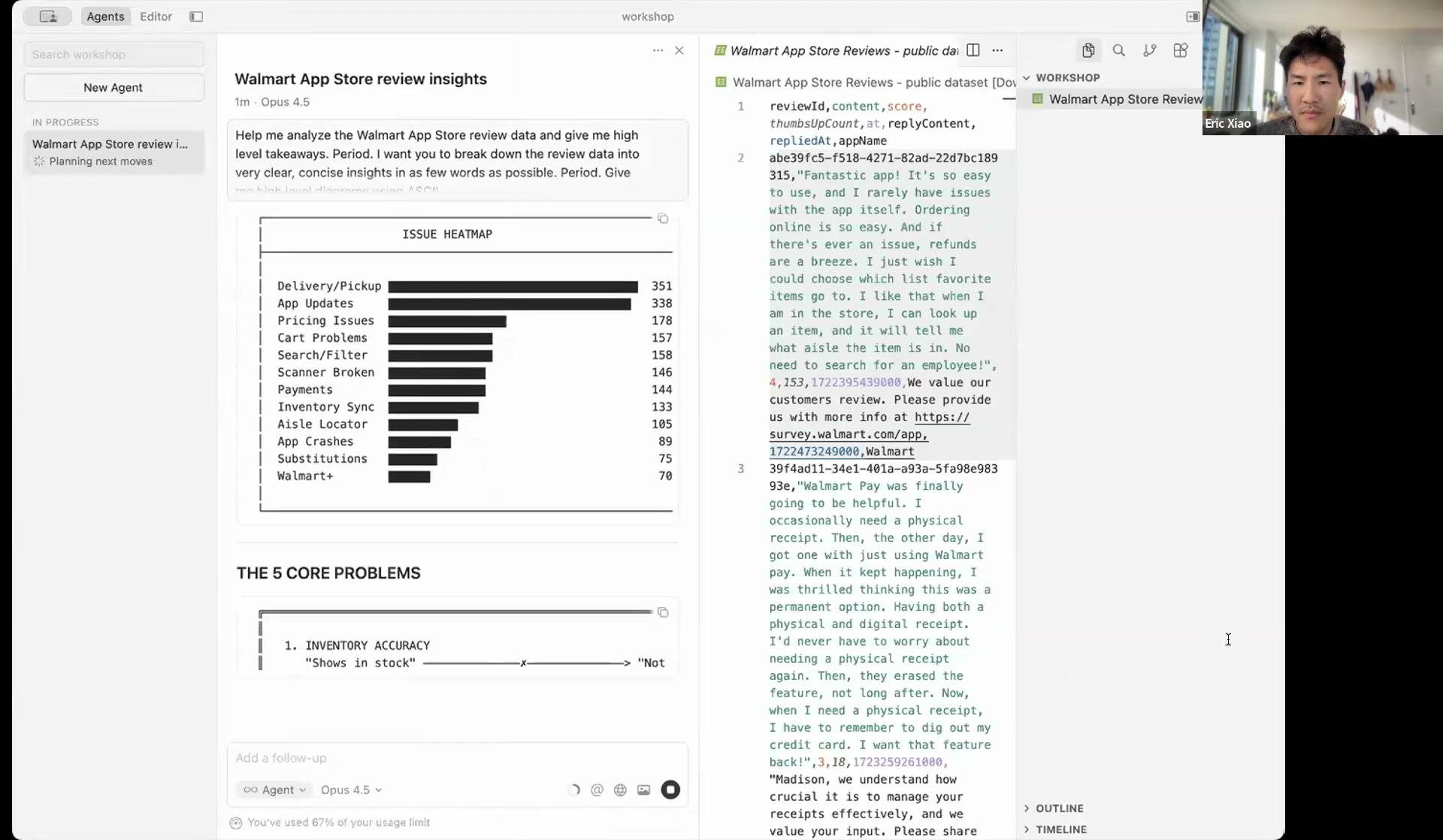
Let’s say I have a set of user feedback I want to analyze. I uploaded a set of a couple thousand public Walmart App Store reviews in a CSV file. Then I asked Cursor.
> “Help me analyze the Walmart App Store review data and give me high level takeaways. Period. I want you to break down the review data into very clear, concise insights in as few words as possible. Give me high level diagrams using ASCII.”
In 30 seconds, it returned the top complaints, ranked by frequency, a 2x2 matrix of severity vs. frequency, and a user journey map showing where frustration peaks.
I use ASCII, which is a reference back to computer UIs in the 1980s before UI was invented. This allows your coding agents to instantly visualize the findings and takeaways.
Workflow 2: Brainstorming new product features
When brainstorming new user features, it’s easy to go to ChatGPT and ask “Hey, here are the details about my app. Please brainstorm some features.” And you’ll get something back. But it is likely not relevant to your context and situation.
How will this feature fit in? Is it for your specific target user? Does your current audience care about this? Has this feature already been tried?
The most important part of brainstorming is actually knowing what the heck is going on, and ChatGPT has no context.
So you need to onboard your AI, much like you onboard your coworkers at your company. But we usually give them weeks if not months to onboard, and we give AI 30 seconds to try.
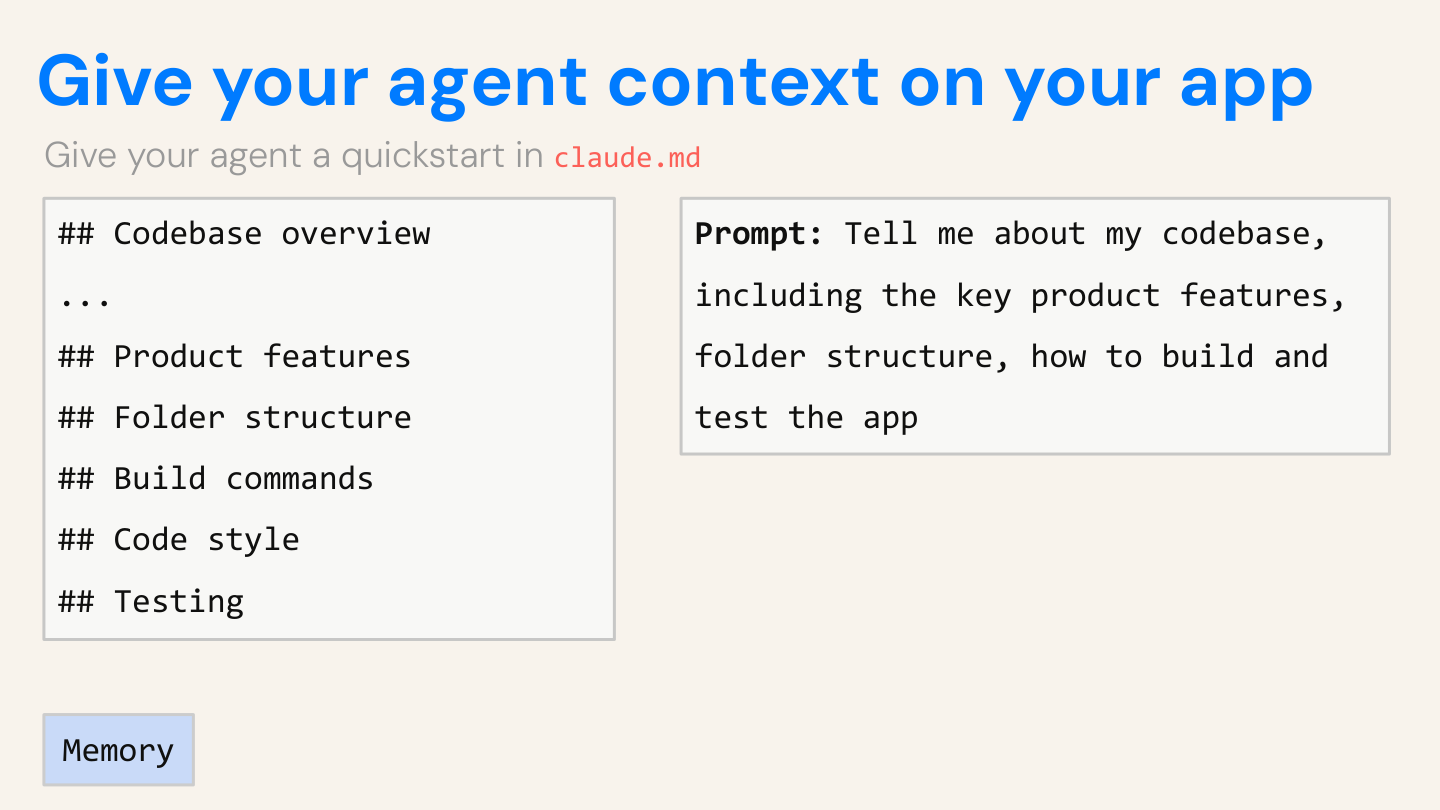
So after cloning a personalized trip planner codebase I wrote, I asked Cursor to tell me about it.
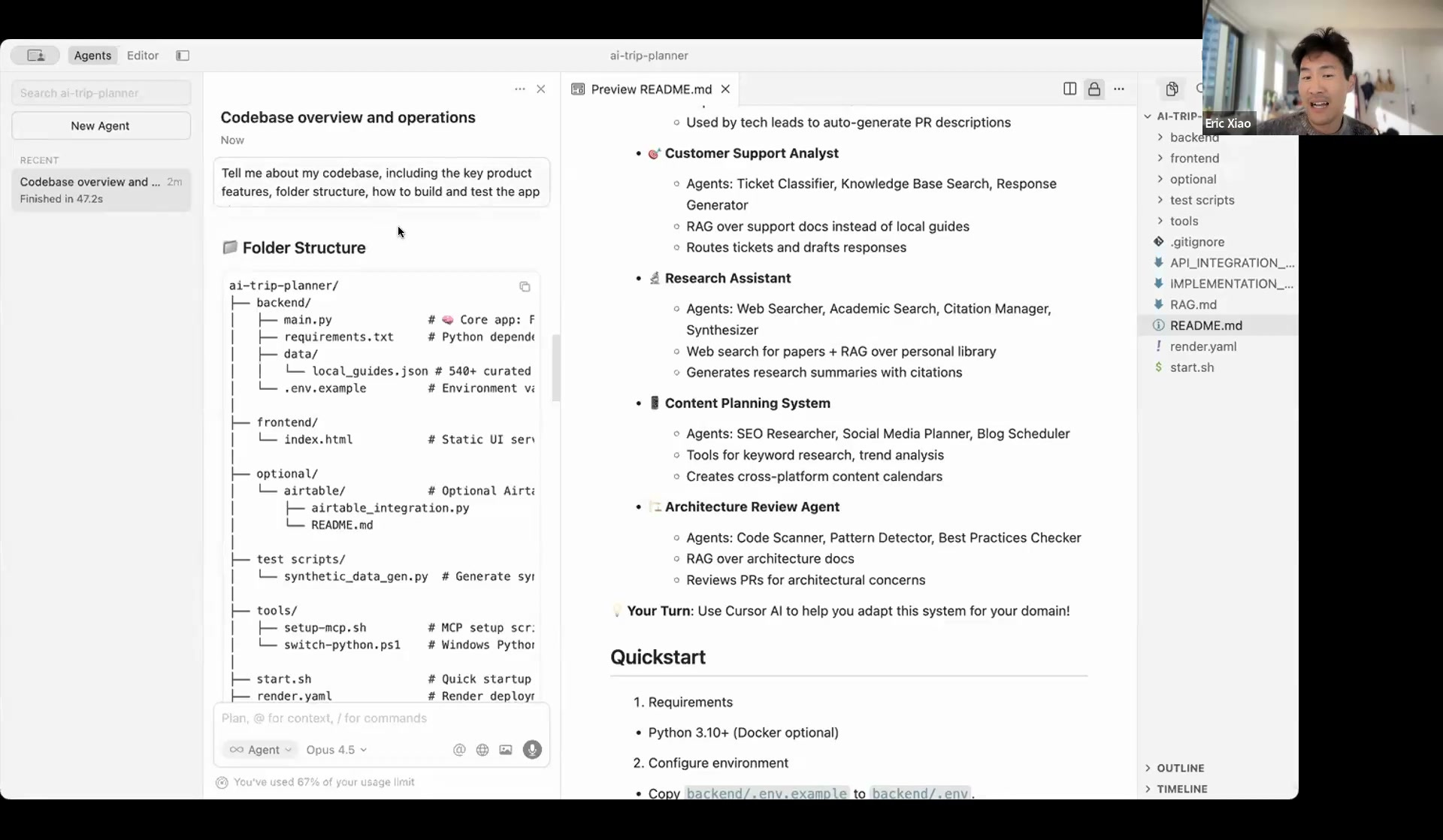
> “Tell me about my codebase, including the key product features, folder structure, how to build and test the app.”
Then I create a AGENTS.md file with all of its contents. This is the README for your AI.Every new chat usually has zero memory, but coding agents are trained to look at AGENTS.md.
You can also add things like links to specs and research, or rules for how you want it to behave.
After it got a clear understanding of the codebase, I asked it to start prototyping.
> “Based on this codebase as a trip planning agent, what product features should I work on? Help me design the ideal UX with ASCII. Propose a few prototypes with ASCII.”
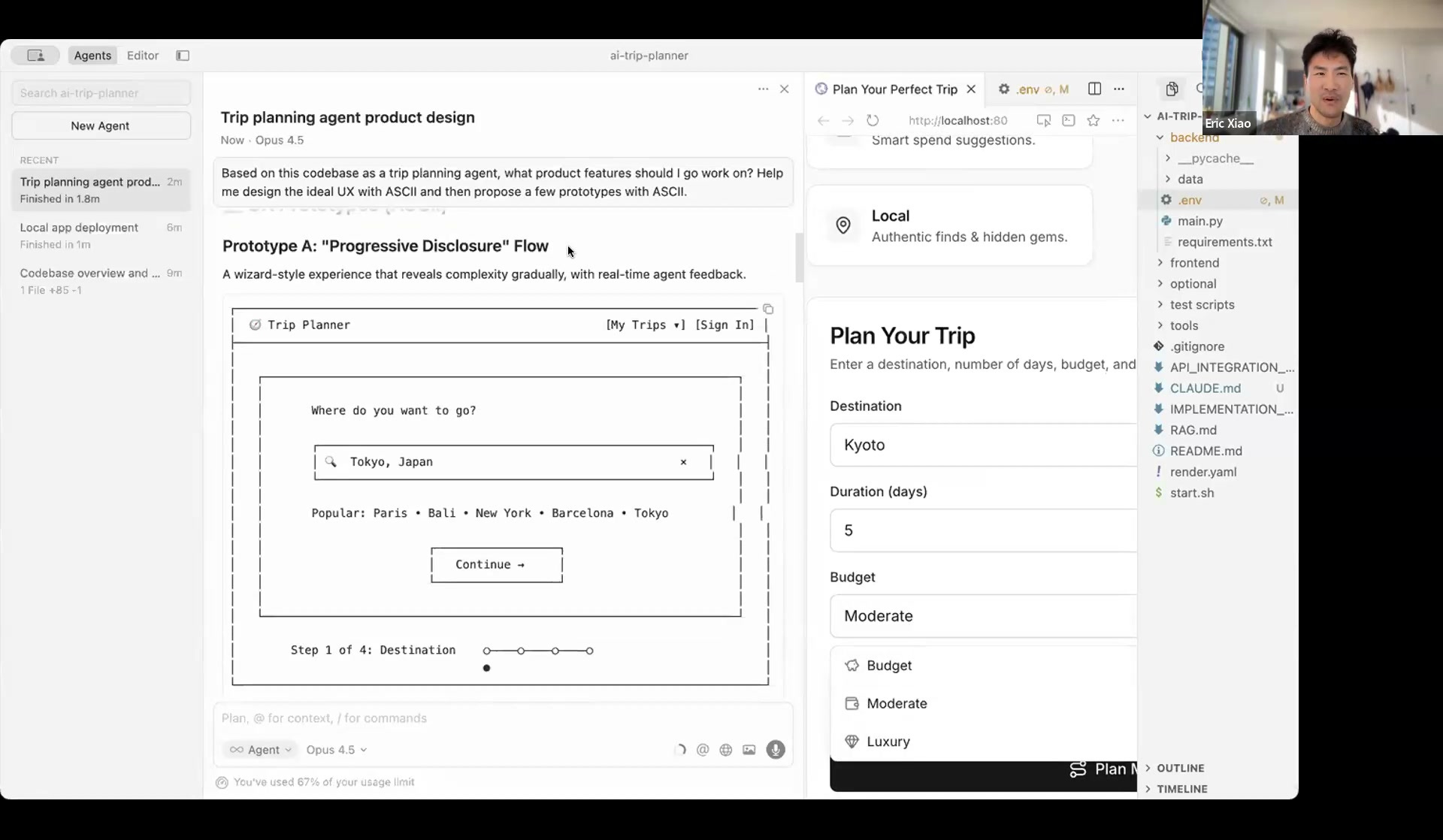
Coding agents are smart enough to find gaps, such as no way to save trips, no loading indicator, no map, no follow-ups, etc.
It then drew ASCII wireframes for each feature! This is honestly incredible. I can build hundreds of wireframes a day if I wanted to - without even needing to open Figma.
Then I kicked off multiple agents in parallel: one designing trip history and one designing the itinerary editor. Prototypes are now cheaper than ever. You can explore ten ideas before committing to one. The magical part of this whole thing is that you can’t feel a spec. But you can feel the UI and where it falls over.
Workflow 3: Building the thing
> “Create a plan for the most compelling feature. Then implement it.”
Plan mode restricts tool access until you approve, similar to a kickoff meeting with your engineer, letting you align on what you implicitly want into explicit instructions.
For parallel development, Cursor has worktrees. Each feature gets its own branch. Five worktrees running at once means five parallel prototypes. You can inspect each one individually, then merge what works.
What makes this actually work?
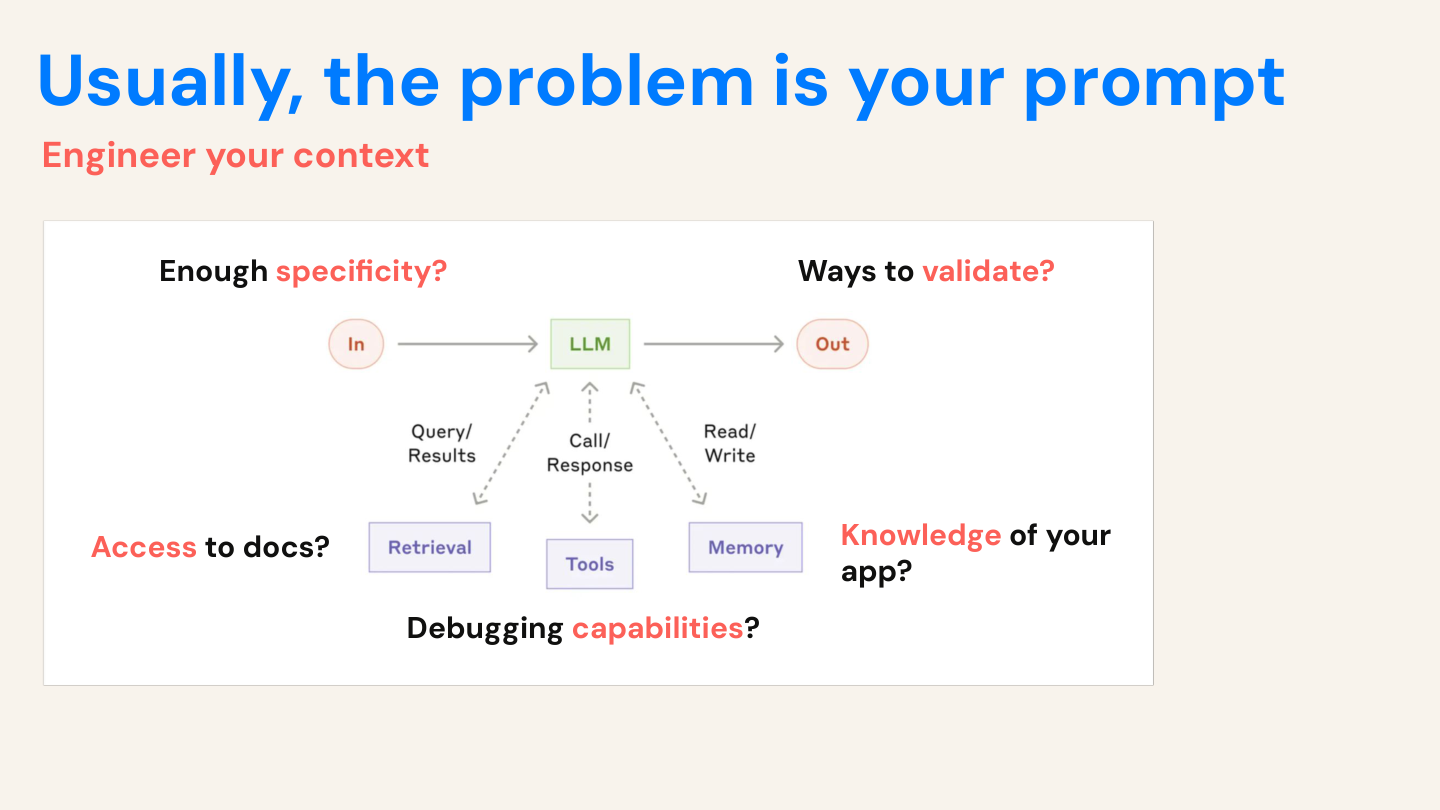
1. The problem is usually your prompt, not the AI’s ability
How can you engineer the context for your coding agent? What tools do people have that your AI does not have? Do they have best practices that are implicitly codified in the culture of your company? Do they have access to documentation, both internal and external? What about debugging tools, like tests and linters? How about specs and knowledge of the application?
We take this for granted, but most senior developers with only a whiteboard and no coding tools or docs would not write pristine code on the first try with absolutely no mistakes.
2. Organize your context for AI
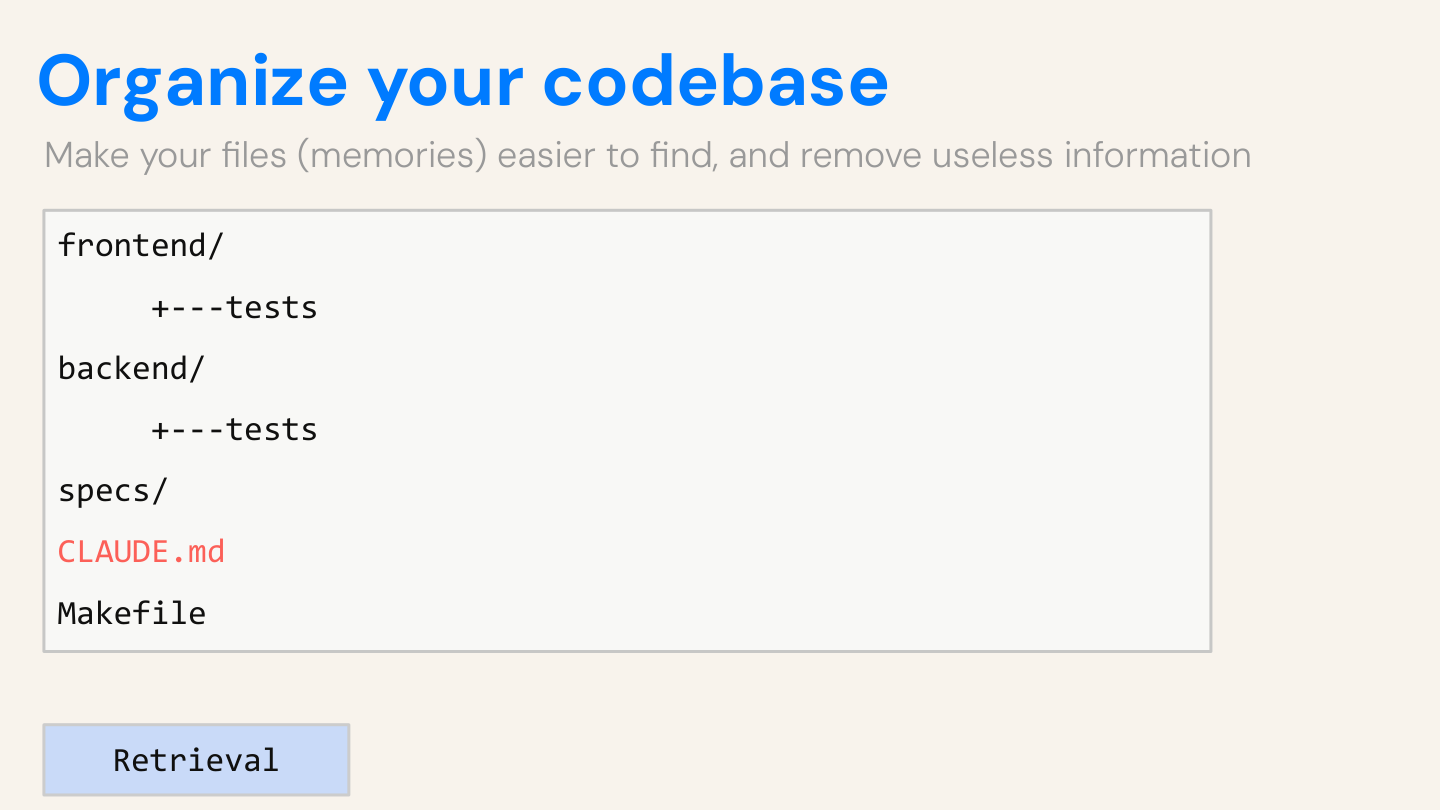
/specs      - Requirements --> This is a folder

/interviews - User research --> This is another folder

/data       - Analytics, CSVs --> This is another folder
If you create a clean folder structure for your AI, then your agent knows where to look to find the right information. The more files you have, the harder it is for LLMs to navigate.
3. Give it validation tools
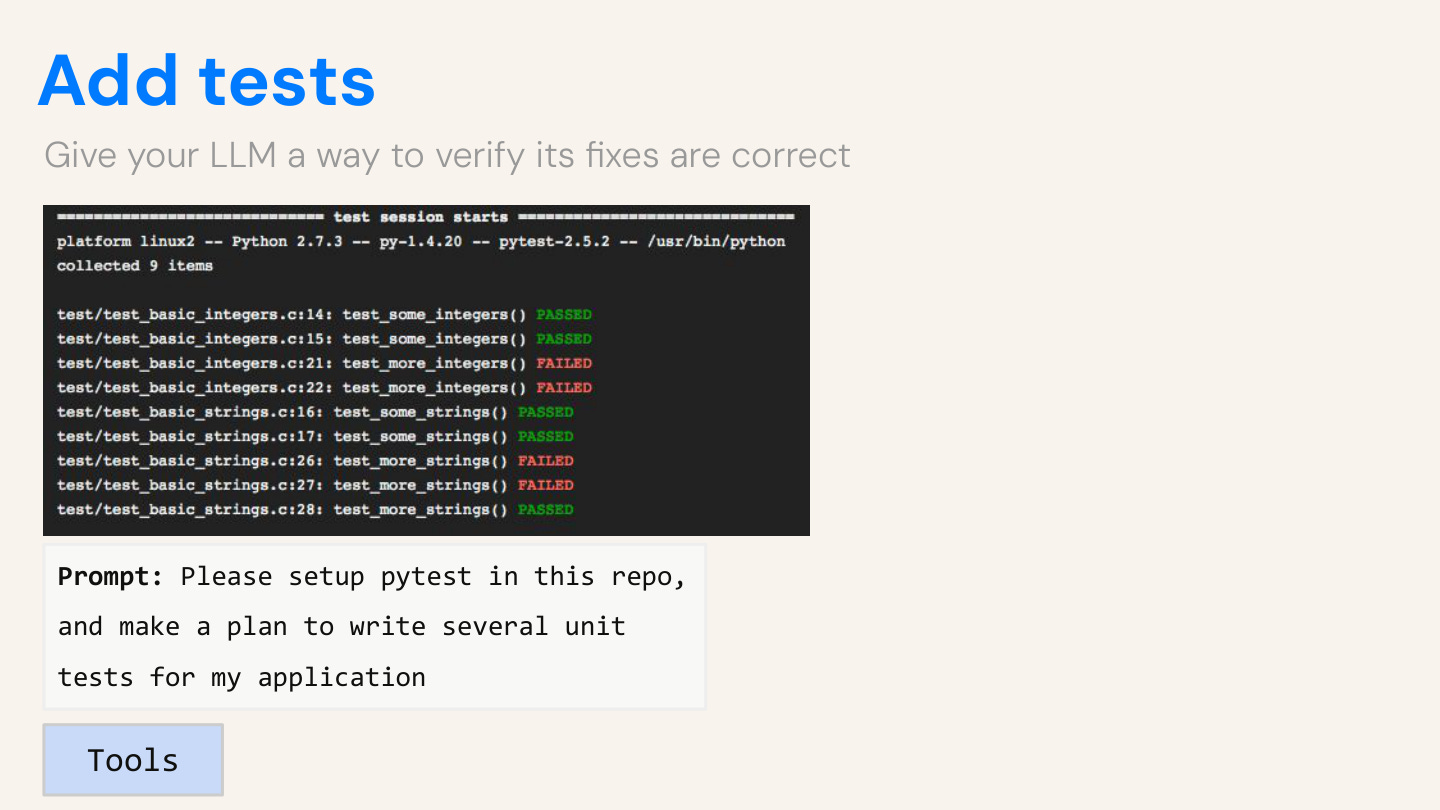
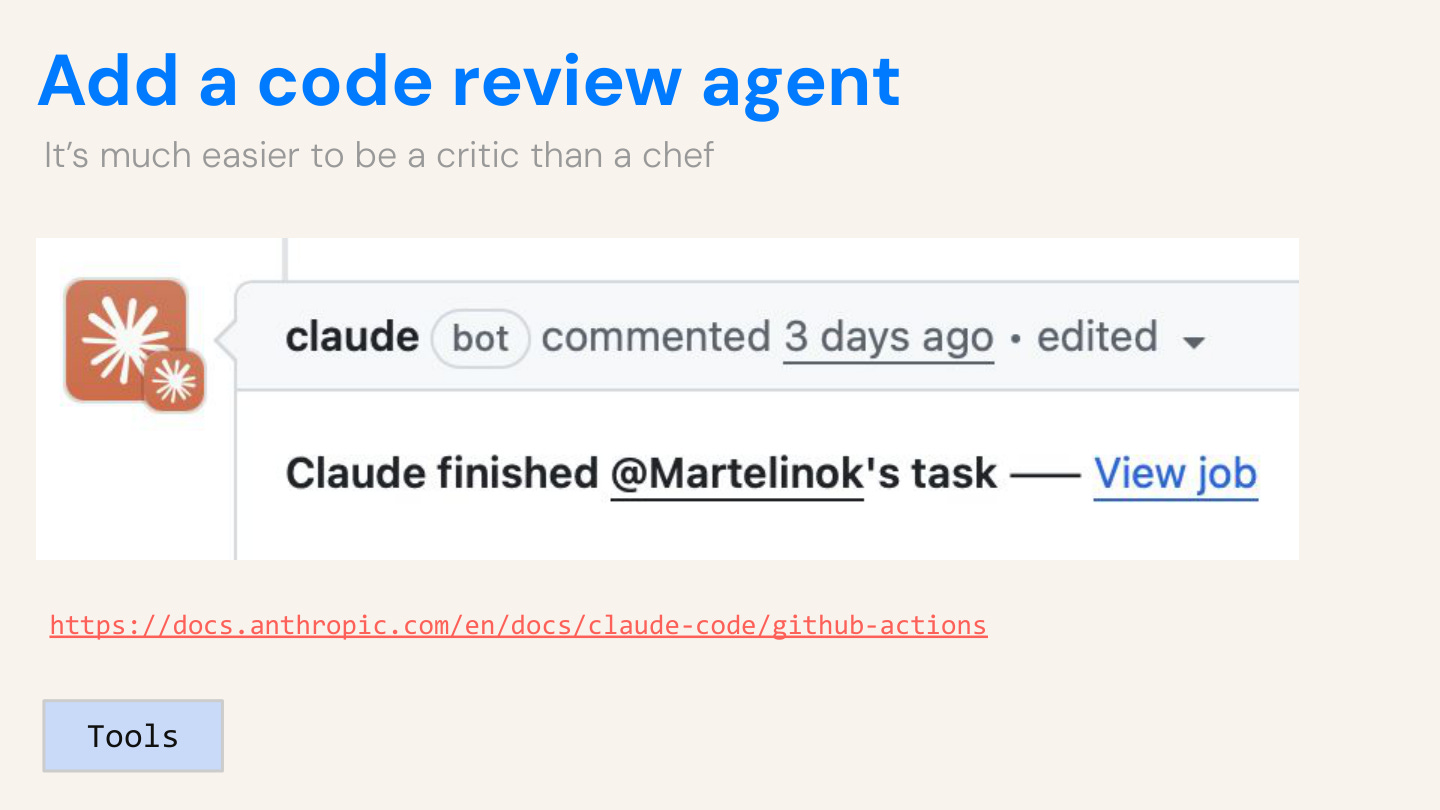
Linters catch syntax errors before you see a broken page. Tests let the agent verify its own work. Code review catches what it missed.
Test-driven development was great before LLMs, and it’s even better now. And tests are just another form of acceptance criteria: “Is the trip plan under 500 characters? Does it handle null inputs? What about typos?”
4. Embed your expertise
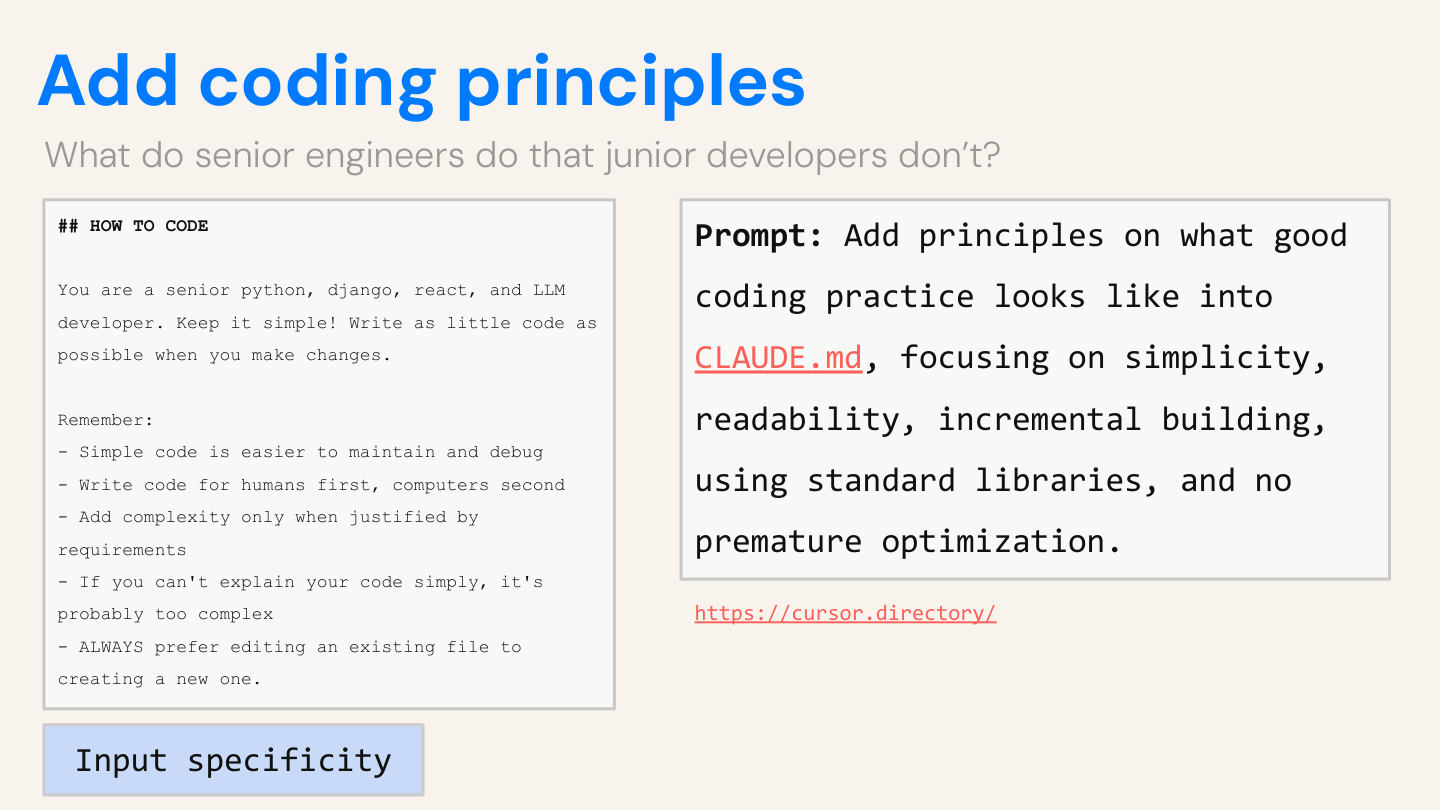
Put your best practices in AGENTS.md, such as:
> “Add complexity only when justified. Simple code is easier to maintain. Always edit existing files instead of creating new ones.”
Now every new chat session will inherit these best practices automatically.
FAQ
”I don’t know how to code.”
Of course, it’s best to know how to code, but it’s more important to be able to think deeply and communicate your ideas clearly. The AI handles syntax. You can still ask “why isn’t this working?” and brute-force your way to a working product.
”This will step on my engineers’ toes.”
Build throwaway prototypes, work in branches, and create pull requests, which are equivalent to drafts. They’ll thank you for showing instead of telling.
”I’ll break something.”
Clone repos in read-only mode and use branches. The worst case is that you’ll delete a branch and start over.
”I don’t have time.”
It only takes ~30 minutes to get to a working prototype, and the skills you’ll learn here will compound!
”AI code is garbage.”
Sometimes, that’s why you review it and iterate, just like you would with a junior engineer.
”My company won’t let me.”
Find co-conspirators at your company. Feel the magic for yourself and then bring others along. Once you show value, the conversation will likely change. If not, then you may want to go to a company that appreciates speed as a value.
”What’s the difference between Cursor and tools like Claude Code and Replit?”
Each tool is built for a specific kind of user. Cursor and Claude Code is primarily built for developers, who are power users and already know how code works. Tools like Replit, Lovable, Bolt are supposed to be for non-technical vibe coders, but it is much easier to hit a ceiling and not be able to ship what you have built.
Every tool is a wrapper around an LLM with access to tools in a loop. It’s not rocket science. You can access the prompts they use here.
--
Eric and I are running an extended course with in January: Cursor for Product Managers. These are hands-on workshops, not just lectures. We get you to that magic moment where you feel like an AI-native PM who knows exactly how to use Cursor for day-to-day work—and with your team. Would love if you could attend! The link above has a $200 discount for being a subscriber :)
Connect with Eric on LinkedIn for more: Eric Xiao

Thanks Eric!
 | A guest post by
|
Interesting take, but I actually think we’re heading the opposite direction. If AI makes 'building' a commodity with near-zero cost, then 'Vibe Coding' is just a faster way to reach a dead end if the vision is blurry.
The real shift for PMs isn't becoming 'junior devs with a prompt window.' It’s becoming Decision Architects. When a designer can ship 10 prototypes in an hour, the PM’s value isn't in helping build them—it’s in the high-level analysis, judgment, and logic required to pick the right one.
This is a solid article about Cursor's workflows for PMs. What caught my attention was the AGENTS.md approach for onboarding AI with codebase context. I have been doing something similar with my own setup, maintaining context files that give the AI persistent knowledge about the project structure, decisions, and constraints. The difference between a fresh AI conversation and one that "knows" your codebase is night and day.
The "Plan mode" point resonates too. I have found that the biggest productivity gains come not from letting AI code faster, but from having it think through the approach first. When I built Wiz, my personal AI agent that runs continuously on Claude Code, the planning phase became essential. Without it, you end up with technically correct code that misses the actual problem you were trying to solve.
One thing I would add to the "the problem is usually your prompt" observation: it is also about knowing when NOT to prompt. After testing Cursor, Google AI Studio, Antigravity, and several others, I noticed that the best results came from giving the AI breathing room to explore rather than micromanaging every step. I wrote about this pattern in my comparison of AI dev tools if you want to dig deeper into the workflow differences: https://thoughts.jock.pl/p/cursor-vs-google-ai-studio-antigravity-ide-comparison-2025